Pico LTE Modem USB Issue

Hi There,
I’m having an issue with my pico lte device. Currently I have it connected to thonny and have micropython installed and working. The issue is that I cannot communicate with the modem. It it online and the blue light is showing its connected however with any AT com commands i get a timeout. I tried using the troubleshooting page with the AT script but never get a response from the modem.

Is there a driver or app somewhere to communicate directly with the modem via the debug port?

Thanks!

EDIT: - Found Quectel Q Com app and was able to query modem through modem debug port - Issue appears to be on the UART side between the Pico and the Modem.

1 Like

Hi,

Please press and release the PWRKEY button for 1 second to power on the LTE module. Observe the STATUS LED to confirm the module’s current status.

1 Like

I’m having a similar issue where the blue status LED is flashing but all communication to the modem seems not to be working. I tried ran the example at pico_lte_micropython-sdk/examples/__basic__/monitor_network.py and every query is timing out:
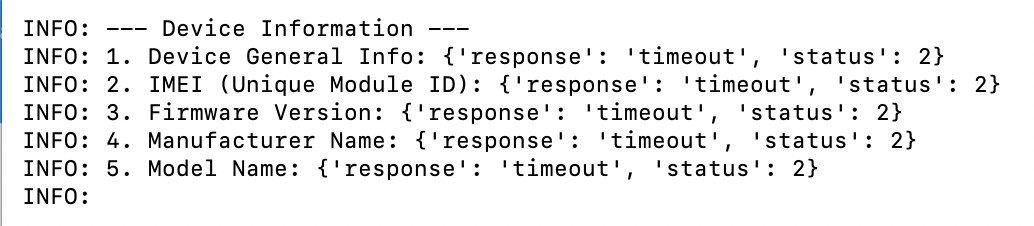
Even something like this doesn’t work:

>>> from pico_lte.common import debug
>>> debug.set_level(0)
>>> from pico_lte.utils.atcom import ATCom
>>> atcom = ATCom()
>>> atcom.send_at_comm("AT")
{'response': 'timeout', 'status': 2}

Helo @_a2,

Could you please follow the steps below and then try running the monitor_network.py script again?

  • Full power cycle and manual PWRKEY
  • Unplug the USB cable from the Pico LTE board completely
  • Wait for 30 seconds
  • Plug the USB cable back in
  • If possible, use a stable 5V / 2A or higher power adapter
  • Press and release the PWRKEY button for about 1 second
  • Wait 10–20 seconds and then check the STATUS LED

After that, please try the monitor_network.py script again and let us know the result.