Issue:
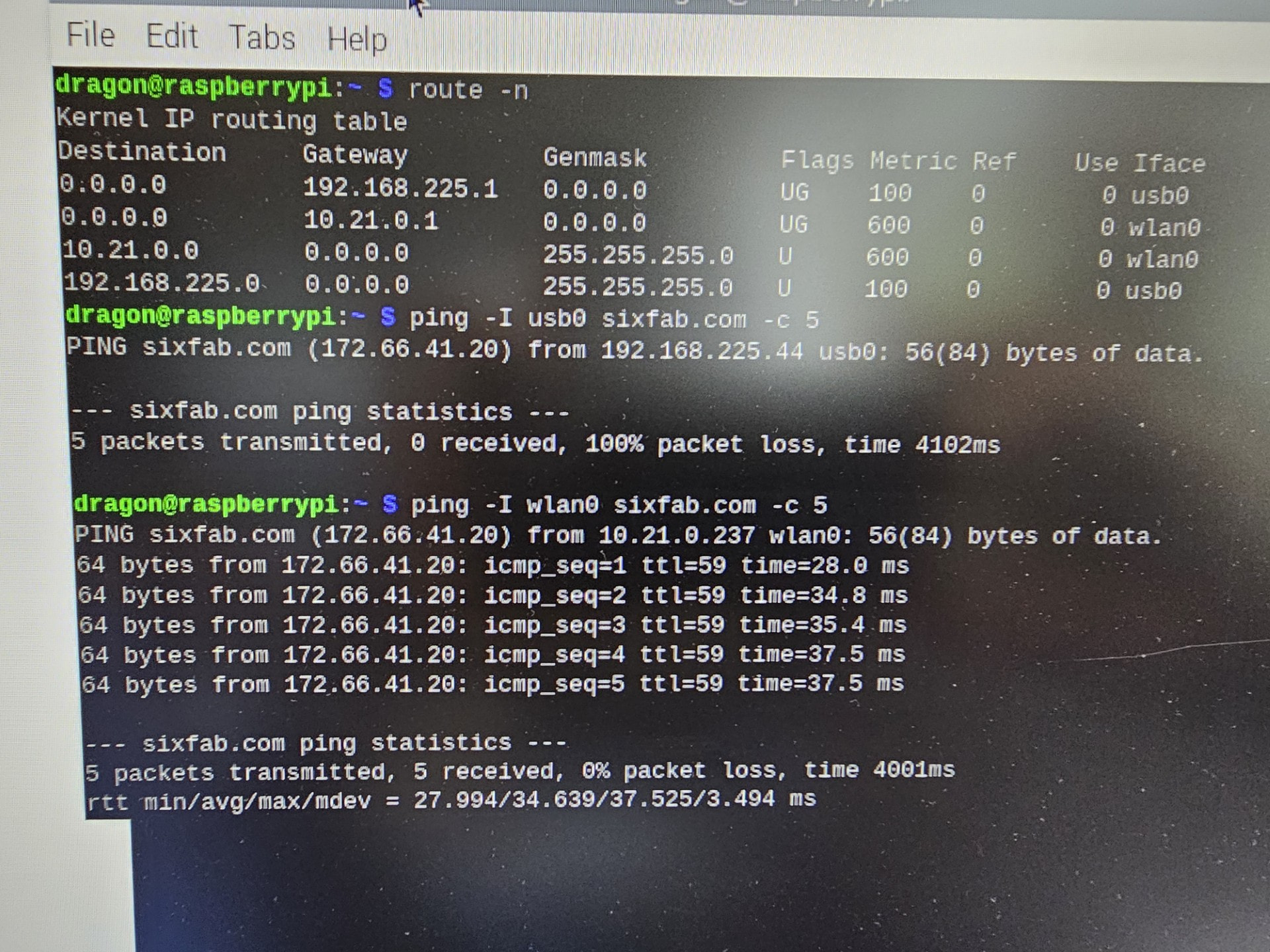
The modem is connecting the the Verizon wireless service, but address resolution (DNS) is not functional. Directed ping through wlan0 work, directed pins through usb0 do not.
Also the usb0 does not appear in the NetworkManager list.
Please advise…
Full error output:
What you have already tried:
* route -n
* individual directed pings
Hi @laputa,
From the screenshot, the Raspberry Pi appears to have received an IP address on usb0 but traffic through usb0 is not reaching the internet. Since sixfab.com is resolving to an IP address, this does not look like a DNS-only issue. It may be related to the APN, Verizon device approval or the cellular data route.
Please first check the APN. You mentioned:
vswinternet
For Verizon, please confirm if the correct APN should be:
vzwinternet
A small typo in the APN can allow the modem to register but prevent proper data connectivity.
Also, please contact Verizon Customer Care and confirm whether the modem IMEI is registered and approved in their system. Verizon may require the IMEI to be added or approved before full data service is allowed.
After checking the APN and IMEI approval, please share the following outputs:
ip addr show usb0
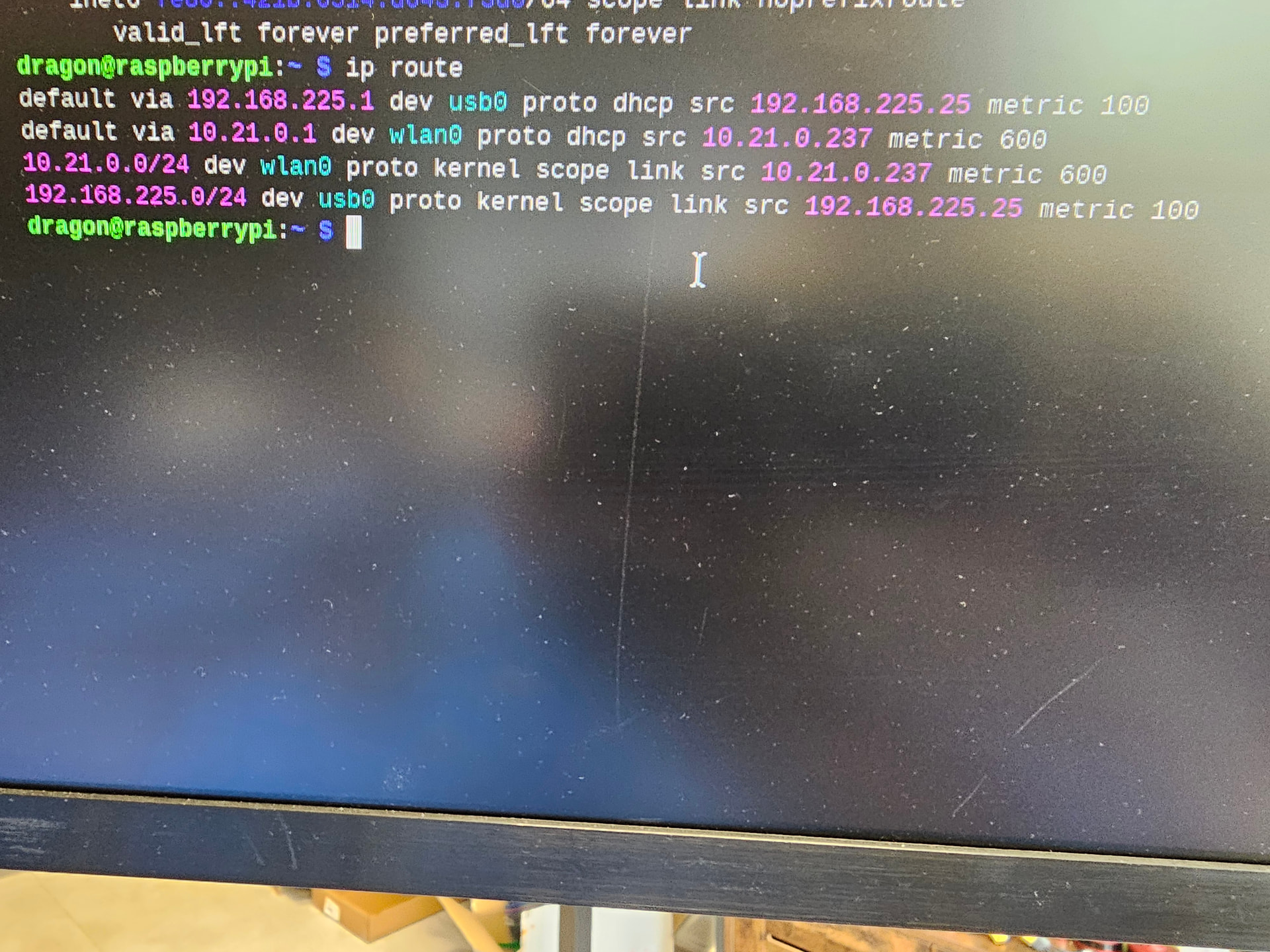
ip route
cat /etc/resolv.conf
ping -I usb0 -c 5 8.8.8.8
ping -I usb0 -c 5 1.1.1.1
Regarding usb0 not appearing in NetworkManager, this can be normal in ECM mode if the interface is created by the modem driver but not managed by NetworkManager.
Once we have the requested outputs, we will be able to review further and advise the next steps.
Thank you for confirming the APN and sharing the route information.
Based on the details provided, it looks like you are using the Quectel EC25-A module with a Verizon SIM. The EC25-A is mainly intended for AT&T/T-Mobile networks and is not Verizon-certified . Because of this, the modem may appear to register and may even receive an IP address but data routing may still fail or behave unpredictably on Verizon.
For Verizon, the recommended module options would be:
Quectel EC25-V — Verizon-certified, but currently not available in our store.
Telit LE910C4-NF — recommended option for Verizon use.
Quectel EG25-G — may work in some cases but we cannot confidently confirm Verizon compatibility.
So the issue does not appear to be DNS-related at this point. It is more likely related to Verizon compatibility/certification with the EC25-A module.
We recommend using a Verizon-compatible/certified modem, preferably the Telit LE910C4-NF for stable Verizon connectivity.