Basic instalation on a new rpi5 outdated

Hardware:

  • Module model: Quectel EC25-E,
  • Raspberry Pi model: Pi 5,
  • Connection method: USB
  • Power supply 5V/5A

System:

  • OS & version: Raspberry Pi OS
  • Kernel version: 6.12.75 rrpi2712

SIM & Connectivity:

  • SIM card type:Sixfab SIM
  • SIM size confirmed as micro-SIM
  • APN configured: outdated instructions
  • Connection protocol: QMI / ECM / PPP - outdated instructions

Modem Recognition Check:
Does lsusb show your modem? Yes

2c7c:0125 for EC25, 1bc7:1206 for Telit LE910Cx

Are ttyUSB ports created? Paste the output: dmesg | grep ttyUSB

GSM modem (1 port) converter now attached to ttyUSB0

LED Status:

  • PWR LED (red): on
  • SGNL LED (blue): blinking

AT command package not found by PIP install…

The instructions to install pip tools is outdated. The at package can no longer be found.

Please advise..

I see reads, but still no pointer to an updated process.

Could someone post a recient RPI 5 OS with the needed AT tools. It looks like the management of python is broken / disconnected..

I just need to provision the new 4G hat.

Best

Hello @laputa,

Could you please check our documentation for the installation and guidance.

Let us know if you have any futher guidance.

To better understand the current setup and assist you further, could you please provide the output of the following command:

lsusb -t

This will help us verify how the modem is detected.

Please let us know once you have the output.

Hello @laputa,

For sending AT commands on the Raspberry Pi 5, we recommend using minicom instead of Python-based AT tools.

You can install and use minicom as follows:

  • Install minicom
    sudo apt update
    sudo apt install minicom

  • Stop ModemManager first (very important on Raspberry Pi / Ubuntu — it often grabs the AT port)
    sudo systemctl stop ModemManager

  • Connect to the modem
    sudo minicom -b 115200 -D /dev/ttyUSB2

(Note: the correct port may be /dev/ttyUSB* depending on setup.)

Once connected, you can send AT commands directly (e.g., AT, AT+CSQ, etc.) and verify communication with the modem.

Please let us know if you need further assistance.

I used ttyUSB3 and I got AT responses.

The device seems to connect to AT&T now, but the assigned IP from AT&T ( visable with AT commands) is not being used by the RPI. It sees the IP addresses as what was the old eth0 static IP.

wlan still connects to WiFi, but is not used. The Eth0 static address no longer responds to Ping. Looks like the IP manager is confused.

Can this be reset?

orb06@raspberrypi:~ $ lsusb
Bus 001 Device 001: ID 1d6b:0002 Linux Foundation 2.0 root hub
Bus 001 Device 002: ID 413c:2113 Dell Computer Corp. KB216 Wired Keyboard
Bus 002 Device 001: ID 1d6b:0003 Linux Foundation 3.0 root hub
Bus 003 Device 001: ID 1d6b:0002 Linux Foundation 2.0 root hub
Bus 003 Device 002: ID 2c7c:0125 Quectel Wireless Solutions Co., Ltd. EC25 LTE modem
Bus 003 Device 003: ID 413c:301a Dell Computer Corp. Dell MS116 Optical Mouse
Bus 004 Device 001: ID 1d6b:0003 Linux Foundation 3.0 root hub

orb06@raspberrypi:~ $ lsusb -t
/: Bus 001.Port 001: Dev 001, Class=root_hub, Driver=xhci-hcd/2p, 480M
|__ Port 002: Dev 002, If 0, Class=Human Interface Device, Driver=usbhid, 1.5M
|__ Port 002: Dev 002, If 1, Class=Human Interface Device, Driver=usbhid, 1.5M
/: Bus 002.Port 001: Dev 001, Class=root_hub, Driver=xhci-hcd/1p, 5000M
/: Bus 003.Port 001: Dev 001, Class=root_hub, Driver=xhci-hcd/2p, 480M
|__ Port 001: Dev 002, If 0, Class=Vendor Specific Class, Driver=option, 480M
|__ Port 001: Dev 002, If 1, Class=Vendor Specific Class, Driver=option, 480M
|__ Port 001: Dev 002, If 2, Class=Vendor Specific Class, Driver=option, 480M
|__ Port 001: Dev 002, If 3, Class=Vendor Specific Class, Driver=option, 480M
|__ Port 001: Dev 002, If 4, Class=Vendor Specific Class, Driver=qmi_wwan, 480M
|__ Port 002: Dev 003, If 0, Class=Human Interface Device, Driver=usbhid, 1.5M
/: Bus 004.Port 001: Dev 001, Class=root_hub, Driver=xhci-hcd/1p, 5000M
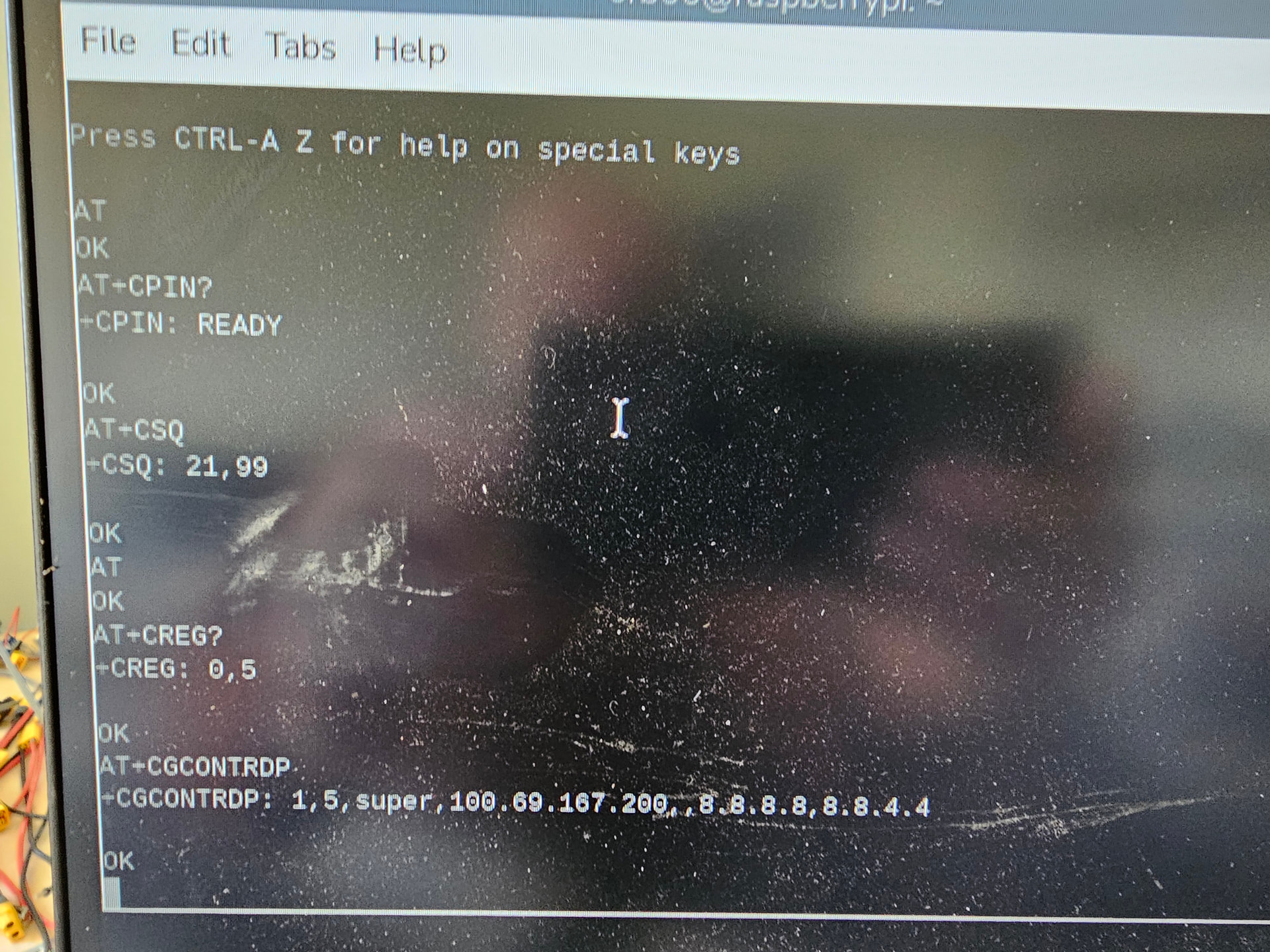
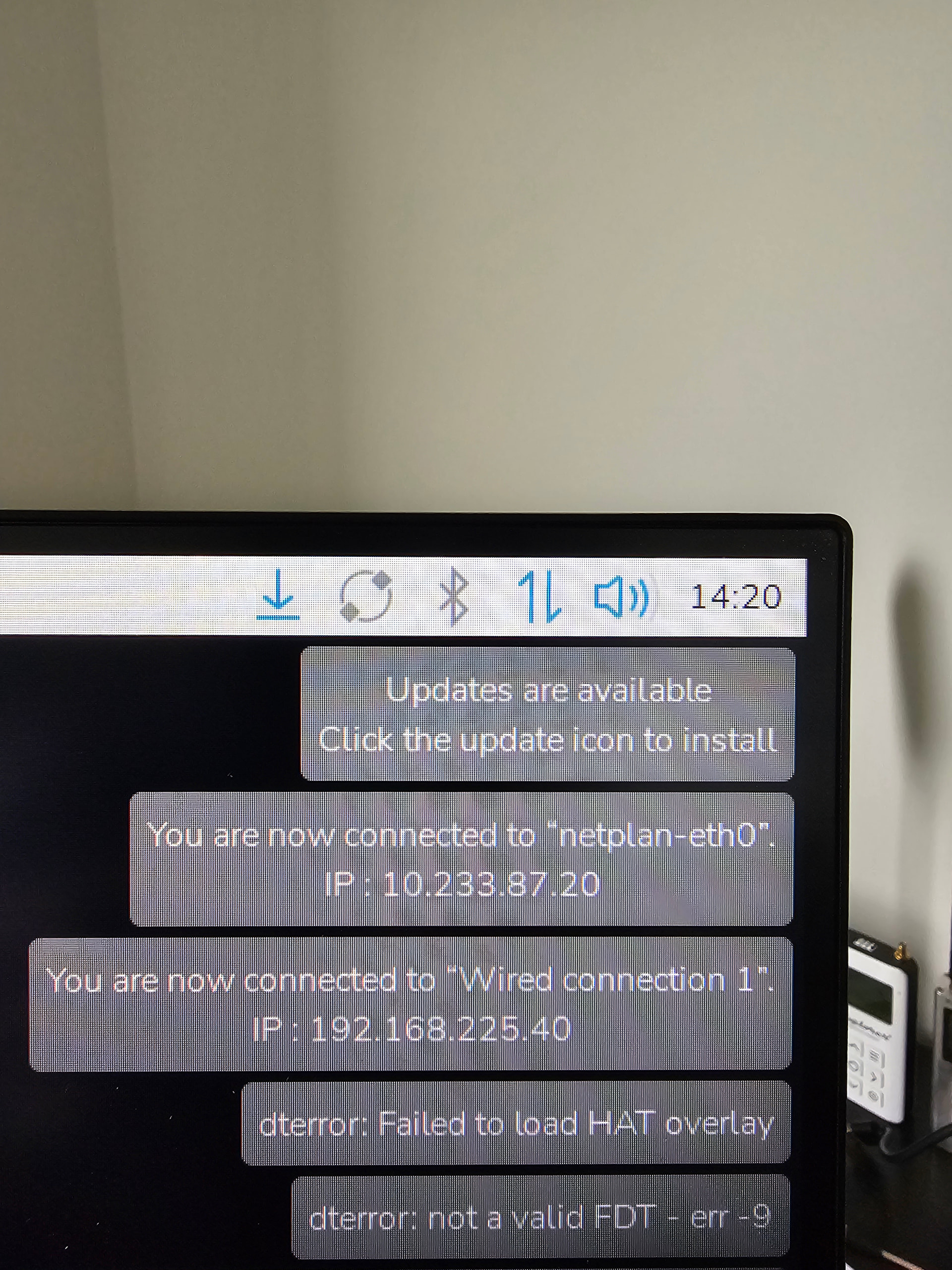
I removed the ethernet profile created durring the original install guid, and it looks to have a connection now.

Im still getting an overlay error durring boot

Your modem is actually working fine and getting an IP but Raspberry Pi is still using eth0 or wlan0 as the default route, so traffic is not going through the cellular interface.

  1. You can confirm this with:
    ip route
    If you see multiple default routes, the one with the lowest metric is used.

  2. Force the cellular interface:
    sudo ip route del default
    sudo ip route add default dev wwan0

  3. Better fix
    Adjust metrics so wwan0 has higher priority:
    sudo ifmetric wwan0 100
    sudo ifmetric eth0 200
    sudo ifmetric wlan0 300
    Lower number = higher priority.

Note: This usually happens when old Ethernet/Wi-Fi configs are still active. Cleaning those or setting proper metrics resolves it.